Auto grow Text Area using jQuery plug-in
In this section, you will learn how to create a text area which auto grow on increment of the content using jQuery Plug-in.
In this section, you will learn how to create a text area which auto grow on increment of the content using jQuery Plug-in.Auto grow Text Area using jQuery plug-in
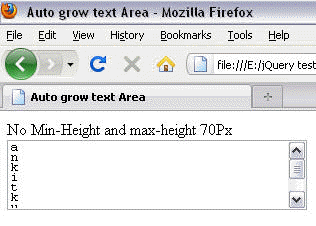
In this section, you will learn how to create a text area which auto grow on increment of the content using jQuery Plug-in. We fixed the height of text area to 70 pixels .The size of the window increase until you reach to 7th line of the text box . When you reach to that line , it's height stops increasing but you can add content as much as you want. The height can increment without limit by changing the below code's text area 'max-height' attribute to 'min-height' .
autoGrowTextArea.html
| <html lang="en"> <head> <meta http-equiv="Content-Type" content="text/html; charset=utf-8"> <meta http-equiv="Content-Style-Type" content="text/css"> <meta http-equiv="Content-Script-Type" content="text/javascript"> <title>Auto grow text Area</title> <script type="text/javascript" src="jquery-1.4.2.js"></script> <script type="text/javascript" src="autogrow Text Area/jquery.autogrow.js"> </script> <script type="text/javascript"> $(document).ready (function() { $('textarea.expandText').autogrow(); }); </script> <style type="text/css"> textarea.expandText { line-height: 10px; } </style> </head> <body> No Min-Height and max-height 70Px <textarea style="width: 300px; max-height: 70px;" class="expandText" name="myTextarea"> </textarea> </body> </html> |
OUTPUT
When we reach to 7th line of the textbox :