Create Line Graph using database values
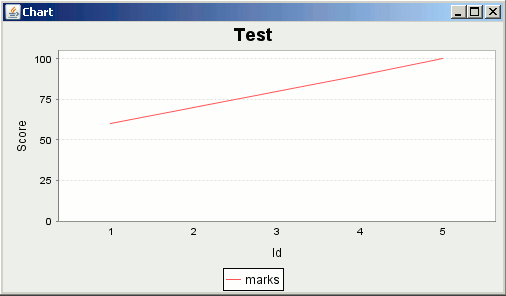
In this section, you will learn how to create a x-y line graph by retrieving the values from the database.
In this section, you will learn how to create a x-y line graph by retrieving the values from the database.Create Line Graph using database values
JFreeChart library has made programming very easy. Using its classes and their methods, you can create various charts. It also provides a way to create a chart with the values that has been retrieved from the database. In this section, you will learn how to create a x-y line graph by retrieving the values from the database.
Here is the code:
import java.sql.*;
import java.io.*;
import org.jfree.ui.*;
import org.jfree.chart.ChartPanel;
import org.jfree.chart.ChartFactory;
import org.jfree.chart.ChartUtilities;
import org.jfree.chart.JFreeChart;
import org.jfree.chart.plot.PlotOrientation;
import org.jfree.data.*;
import org.jfree.data.jdbc.JDBCCategoryDataset;

public class Chart {
	public static void main(String[] args) throws Exception {
		String query = "SELECT * from chart";
		JDBCCategoryDataset dataset = new JDBCCategoryDataset(
				"jdbc:mysql://localhost:3306/test", "com.mysql.jdbc.Driver",
				"root", "root");

		dataset.executeQuery(query);
		JFreeChart chart = ChartFactory.createLineChart("Test", "Id", "Score",
				dataset, PlotOrientation.VERTICAL, true, true, false);
		ChartPanel chartPanel = new ChartPanel(chart);
		chartPanel.setPreferredSize(new java.awt.Dimension(500, 270));
		ApplicationFrame f = new ApplicationFrame("Chart");
		f.setContentPane(chartPanel);
		f.pack();
		f.setVisible(true);
	}
}
Output: