VRule Control in Flex4
The VRule control is a MX component. It has no Spark component. The VRule is used to create a single vertical line.
The VRule control is a MX component. It has no Spark component. The VRule is used to create a single vertical line.VRule control in Flex4:
The VRule control is a MX component. It has no Spark
component. The VRule is used to create a single vertical line. It is used for
dividing a space. You can use the strokeWidth, strokeColor, shadowColor
properties for set a style. If strokeWidth is 1 then you can use only
strokeColor properties for set a color.
If strokeWidth is more than 1 then You can use strokeColor and shadowColor
properties for set a color.
The tag of VRule control is <mx:VRule>.
Example:
|
<?xml version="1.0" encoding="utf-8"?> <s:Application xmlns:fx="http://ns.adobe.com/mxml/2009"xmlns:s=" library://ns.adobe.com/flex/spark"xmlns:mx=" library://ns.adobe.com/flex/mx"minWidth=" 955" minHeight="600"><s:Panel title="VRule Control Example" width="245" height="158"> <s:HGroup x="13" y="13"> <mx:Label text="Left Side Portion"/></s:Panel> </s:Application> |
In this example you can see how we can use a VRule control in Flex4.
Output:
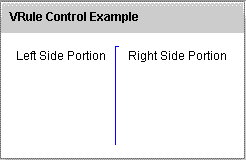
Running Application:
To view this page ensure that Adobe Flash Player version 10.0.0 or greater is installed.



