Spark Rotate3D Effect in Flex4
The Rotate3D effect rotates a component in x, y and z-axis.
The Rotate3D effect rotates a component in x, y and z-axis.Spark Rotate3D Effect in Flex4:
The Rotate3D effect rotates a component in x, y and
z-axis. If you rotates the component along y-axis the component will rotate
vertically through the x and z plane. You can set the starting and ending angle
of rotation. The syntax of Rotate3D effect is following:
<s:Rotate3D
id=""
angleFrom=""
angleTo=""
duration=""
/>
The tag of Rotate3D effect is <s:Rotate3D>. In this example you can see how we
can use a Rotate3D effect with component.
Example:
|
<?xml version="1.0" encoding="utf-8"?> <s:Application xmlns:fx="http://ns.adobe.com/mxml/2009"xmlns:s=" library://ns.adobe.com/flex/spark"xmlns:mx=" library://ns.adobe.com/flex/mx"minWidth=" 955" minHeight="600">target=" {vbox}"angleYFrom=" 0"angleYTo=" 360"duration=" 3000"autoCenterTransform=" true"repeatCount=" 2"repeatBehavior=" reverse"transformX=" 100"transformY=" 100"transformZ=" 100"easer=" {bounceEasing}"/> </fx:Declarations>chromeColor=" #000000"color=" #CCCCCC"width=" 398"height=" 304"> <mx:ApplicationControlBarwidth=" 396"horizontalAlign=" center"> <s:Label text="Click on Button for showing the effect"color=" #000000"fontFamily=" Verdana"/> </mx:ApplicationControlBar>width=" 194"height=" 150"horizontalAlign=" center"verticalAlign=" middle"x=" 105" y="66"backgroundColor=" #555555"borderStyle=" solid"> <s:Button label="Rotate 3D"id=" btn"cornerRadius=" 10"fontFamily=" Verdana"click="{rotate3dEffect.end();rotate3dEffect.play();}" /> <mx:filters> <s:DropShadowFilter id="dsf"angle=" 45"distance=" 5"color=" #808080"/></s:Application> |
Output:
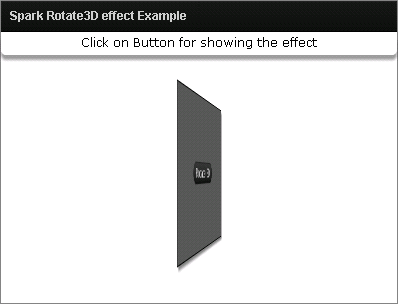
Running Application:
To view this page ensure that Adobe Flash Player version 10.0.0 or greater is installed.



