MX Wipe Effect in Flex4
The Wipe class defines a bar wipe effect. The before and after state of the component must be visible.
The Wipe class defines a bar wipe effect. The before and after state of the component must be visible.MX Wipe Effect in Flex4:
The Wipe class defines a bar wipe effect. The before and after state of the component must be visible. This effect inherits the MaskEffect. There are four types of Wipe Effect: WipeLeft, WipeRight, WipeUp and WipeDown. The Tag of WipeLeft is <mx:WipeLeft>. The Tag of WipeRight is <mx:WipeRight>. The Tag of WipeUp is <mx:WipeUp>. The Tag of WipeDown is <mx:WipeDown>. In this example you can see how we can use Wipe Effect in your application.
Example:
|
<?xml version="1.0" encoding="utf-8"?> <s:Application xmlns:fx="http://ns.adobe.com/mxml/2009"xmlns:s=" library://ns.adobe.com/flex/spark"xmlns:mx=" library://ns.adobe.com/flex/mx"minWidth=" 955" minHeight="600">width=" 565" height="251"chromeColor=" #000000" color="#CCCCCC">fontFamily=" verdana" color="#000000"/>fontFamily=" verdana" color="#000000" x="42" y="48"/>fontFamily=" verdana" color="#000000" x="177" y="48"/> <s:Label text="Wipe Up"fontFamily=" verdana" color="#000000" x="315" y="48"/> <s:Label text="Wipe Down"fontFamily=" verdana" color="#000000" x="450" y="48"/>source=" @Embed(source='file:/C:/work/bikrant/image/iPhone.png')"x=" 10" y="68"mouseDownEffect=" {wLeft}"/> <mx:Image id="roseindia1"source=" @Embed(source='file:/C:/work/bikrant/image/iPhone.png')"x=" 282" y="68"mouseDownEffect=" {wUp}"/> <mx:Image id="roseindia2"source=" @Embed(source='file:/C:/work/bikrant/image/iPhone.png')"x=" 418" y="68"mouseDownEffect=" {wDown}"/>source=" @Embed(source='file:/C:/work/bikrant/image/iPhone.png')"x=" 146" y="68"mouseDownEffect=" {wRight}"/> </s:Panel></s:Application> |
Output:/h3>
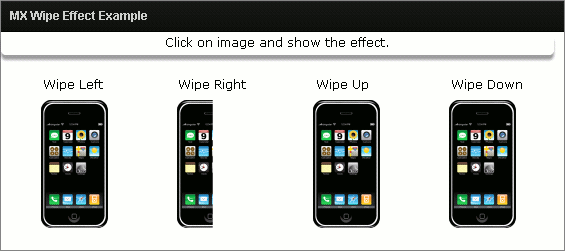
Running Application:
To view this page ensure that Adobe Flash Player version 10.0.0 or greater is installed.



