Flex NumericStepper
In this tutorial you can see how to use NumericStepper in flex and what is this.
In this tutorial you can see how to use NumericStepper in flex and what is this.NumericStepper in Flex:-
NumericStepper is a control in flex which is provide functionality to select a number from an ordered list. It is contain a input text field with a pair of arrows that are opposite direction. Through that pair of arrow user can increase value of NumericStepper to select up arrow and decrease value to select down arrow.
In this tutorial the NumericStepper created with the help of <mx:NumericStepper>tag. After that set value for NumericStepper which is started value that is display in NumericStepper box and set id for this control. This control have property which play important role when user use NumericStepper that property is value and stepSize. The property stepSize identify how much value increase and decrease value of numeric stepper and you also set minimum and meximum value for this controls. In this tutorial we can illustrate how to create NumericStepper in flex. and how to use property and how to access of value.
Example:-
<?xml version="1.0"?>
<mx:Application
xmlns:mx="http://www.adobe.com/2006/mxml" layout="horizontal"><mx:Script>
<![CDATA[
import mx.events.NumericStepperEvent;nsvalue.text =
"Numeric Stepper Current Value is :"+mynstepper.value;nsnvalue.text =
"Numeric Stepper Next Value is :"+nextvalue;nspvalue.text =
"Numeric Stepper Previous Value is:"+previousvalue;}
]]>
</mx:Script>
<mx:Panel width="400" height="200" horizontalAlign="center" verticalAlign="middle" title="Numeric Stemmer Example"> <mx:VBox></mx:Application>
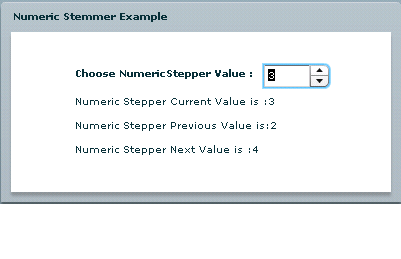
In this example you can see how to find next and previous value of NumericStepper. Output is-
Output:-