ModuleLoader in Flex 3
In this example user can load modules with the help of ModuleLoader class. This is simple way to load modules in the main application.
In this example user can load modules with the help of ModuleLoader class. This is simple way to load modules in the main application.Load modules with the help of ModuleLoader class:-
In this example user can load modules with the help of ModuleLoader class. This is simple way to load modules in the main application. We can used <mx:ModuleLoader> tag to load a modules and set the url property to point the location of the swf files. If user want to unload modules then you can be set url value is null(""). User can used multiple ModuleLoader class instances in one application.
Example:-
main.mxml code:-
|
<?xml version="1.0"?> <mx:Application xmlns:mx="http://www.adobe.com/2006/mxml"><mx:ModuleLoader
url="loginmodule.swf"/> </mx:Application>
|
loginmodule.mxml code:-
|
<?xml version="1.0"?> <mx:Module xmlns:mx="http://www.adobe.com/2006/mxml" width="100%" height="100%" > <mx:Script><![CDATA[ import mx.controls.Alert;Alert.show( "User Name is :" + name);loginnametext.text = "";loginpasswordtext.text = "";} else{Alert.show( "Enter correct name and password!");} } ]]> </mx:Script> <mx:Panel id="loginpanel" height="200" width="328" title="Login Module"></mx:Module> |
In this example you can see hoe to used module manager for load modules in the application.
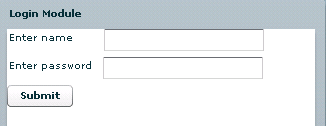
Output:-
Download this code


