Flex Behavior
In this tutorial we can illustrate about flex behavior. In this tutorial you can see behavior for link button with the help of WipeLeft, WipeRight,WipeUp, WipeDown alse you can see how to use WipeLeft, WipeRight,WipeUp, WipeDown in the flex
In this tutorial we can illustrate about flex behavior. In this tutorial you can see behavior for link button with the help of WipeLeft, WipeRight,WipeUp, WipeDown alse you can see how to use WipeLeft, WipeRight,WipeUp, WipeDown in the flexFlex Behaviors:-
A behaviors is a combination of trigger and effects. we can define trigger and effects for a flex component. we can apply this effects on the component with the help of triggers. In this example you can see Wipe Left, Wipe Right, Wipe Up, Wipe Down effects. In this tutorial you can see these effects for a link button with the of mouse-down effect trigger.
Flex Behavior Example:-
<?xml version="1.0"?>
<!-- behaviors\ButtonWL.mxml -->
<mx:Application
xmlns:mx="http://www.adobe.com/2006/mxml"></mx:Application>
Output:-
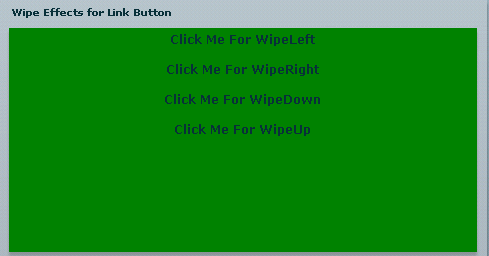
In this tutorial you can see how to use Wipe Left, Wipe Right, Wipe Up, Wipe Down effects for a link button.


