HorizontalList in Flex
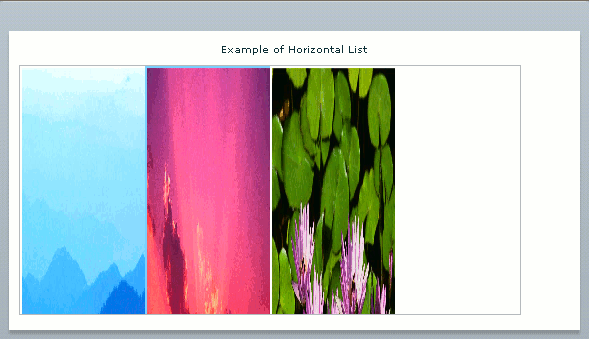
Flex provides many type of controls, HorizontalList is one of them. In this tutorial we will study about HorizontalList .HorizontalList is used to display a list in horizontal manner. The HorizontalList is useful when we use item renderer for displaying various things like images, data etc.
Flex provides many type of controls, HorizontalList is one of them. In this tutorial we will study about HorizontalList .HorizontalList is used to display a list in horizontal manner. The HorizontalList is useful when we use item renderer for displaying various things like images, data etc.Flex HorizontalList
HorizontalList is used to display a list in horizontal manner. The HorizontalList is useful when we use item renderer for displaying various things like images, data etc.
The look and feel of HorizontalList and the combination of HBox and repeater is quite similar but the performance of HorizontalList is better than HBox and repeater.
To create a HorizontalList we need to access <mx:HorizontalList> tag in MXML, as other controls we can provide an id if we need to access this control in any other section of this file or ActionScript file.
Controls always shows the list from left to right. Usually it includes a horizontal scroll bar to display all the items in the list. User can select more than one item setting allowMultipleSelection property on.
Example 1:
<?xml version="1.0" encoding="utf-8"?>
<mx:Application
xmlns:mx="http://www.adobe.com/2006/mxml" layout="absolute"><mx:Script>
<![CDATA[
[
Bindable][
Embed(source="/Flex-Tutorial/Blue hills.jpg")][
Bindable][
Embed(source="/Flex-Tutorial/Sunset.jpg")][
Bindable][
Embed(source="/Flex-Tutorial/Water lilies.jpg")]]]>
</mx:Script>
<mx:Panel
height="75%" width="75%" paddingBottom="10" paddingLeft="10" paddingRight="10" paddingTop="10"><mx:Label
width="100%" text="Example of Horizontal List"/><mx:HorizontalList
columnWidth="125" height="250" ><mx:dataProvider>
<mx:Array> <mx:Object label="Blue Hills" icon="{img1}"/></mx:dataProvider>
</mx:HorizontalList>
</mx:Panel>
</mx:Application>
Output: