
How to convert a picture into a shape


If you want to use a picture shape but you are not able for that, don't worry. You will learn easily to convert a picture into shape.
Take a picture: Choose any picture to modify. If you have color full picture, first select the object to convert into shape. I have here a white background picture.
Selection: Choose Magic wand tool (W key) and click on the background to make selection.

Inverse: Go to Select menu > Choose inverse (Shift + Ctrl + I).

New layer: Now take a new layer and fill black color in the selection by the Paint bucket tool (G key).
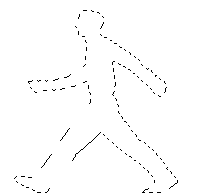
This is your done.

