How to design a button for web.


When you go for develop your website, you need buttons for show another option. You need buttons for that, so come to my this tutorial that will teach you to design a button.
Lets' start.
New File: Go to file menu and click on New and control the file size as you want.

Ellipse Tool: Chose ellipse tool (U key) and make a circle shape with selected "404A94" color.

Bevel and Emboss: Go to Layer menu > Layer Style > Bevel and Emboss and make setting as given below.

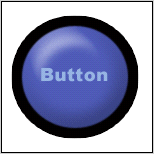
Your image will look like this.

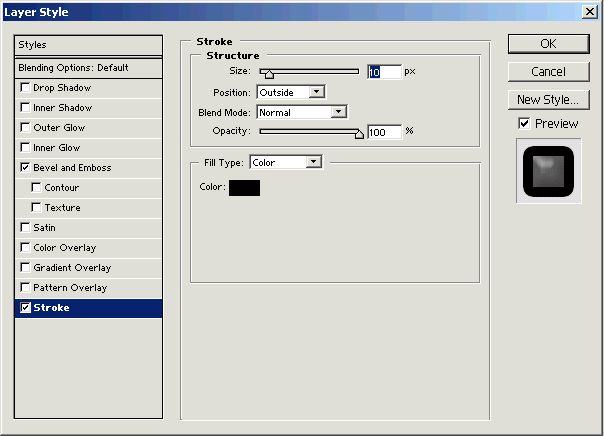
Stroke: Go to Layer menu > Layer Style > Stroke and make adjustment as given in the popup menu.
Your final image will look like this.