JavaScript sort list
|
|
In this section, we are going to sort the html list using JavaScript.
You can see in the given example, we have created an unordered list using the <li>with <ul> html tag. The method document.getElementById() defined in the function grabs the id of the list and stores it into the variable listItem which uses the length property to get all the list elements. Then, the listItem[i].firstChild.nodeValue reads the node value of list elements into array and the Javascript method sort() sorts the array. Then in order to update the node values of list element we have used listItem[i].firstChild.nodeValue and stored the sorted list into the variable list[i].
Here is the code:
|
<html> |
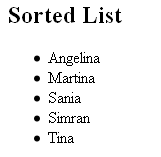
Output will be displayed as: