JavaScript Slide Show
|
|
In this section, you will learn how to create slide show using JavaScript.
To display a series of images in an automated slide show, we have created five instances of the image object referring their images. We have inserted the first image of the slide show using html <img> tag. By its name attribute, we enables JavaScript to access and manipulate the image. A variable 'step' is initialize to1 that will increment through the images.
The document.images.img.src accesses the path of image "img" using the image object. The eval("image"+step+".src") is evaluated dynamically to assign a new image path that results into the changed image. By using the JavaScript method setTimeout("slideImages()",1000), we can call the function slideImages() after every one second.
Here is the code:
| <html> <h2>Slide Show</h2> <script type="text/javascript"> var image1=new Image() image1.src="rose.jpg" var image2=new Image() image2.src="lotus.jpg" var image3=new Image() image3.src="lily.jpg" var image4=new Image() image4.src="sunflower.jpg" var image5=new Image() image5.src="marigold.jpg" </script> </head> <img src="rose.jpg" name="img" width="250" height="150" /> <script> var step=1 function slideImages(){ if (!document.images) return document.images.img.src=eval("image"+step+".src") if (step<5) step++ else step=1 setTimeout("slideImages()",1000) } slideImages() </script> </html> |
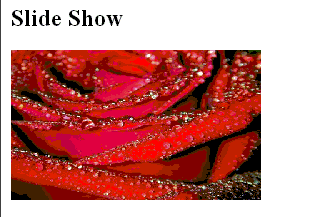
Output will be displayed as: