Post your Comment
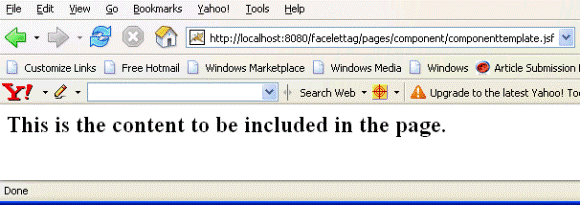
Facelet component Tag Facelet component Tag This tag is used to add a new component into the JSF component tree as children of UI component instance. This tag shows
What is the difference between component and tag in JSF? What is the difference between component and tag in JSF? Please let me know,becaus i am new to jsf and am confusing
Tomahawk htmlTag tag to value attribute then all its child component are rendered but no no html tag... is set to true, the tag is forced to render the id for the component...Tomahawk htmlTag tag  
JSF verbatim Tag JSF verbatim Tag This tag renders output component... of this tag. This tag can be used to nest plain html within the JSF component tree. Any
Optiontransferselect Tag (Form Tag) Example select component. This tag contains various parameters: The label parameter... Optiontransferselect Tag (Form Tag) Example In this section, we are going to describe the Optiontransferselect tag
Tomahawk validateEqual tag Tomahawk validateEqual tag This tag is used to validate the value against the other component. In the for attribute we specify
Creating Dynamic Tree component in RCFaces that how you can create a dynamic tree component with the use of RCFaces core tag v... Creating Dynamic Tree component in RCFaces.... To create this tree we have used the RCFaces core tag v:tree. It has some
Tomahawk message tag for the component exactly as mentioned in the id attribute of the tag...Tomahawk message tag This tag is useful
JSF facet Tag to the component means this tag is used to add its child as a facet of the closest parent component. With the help of this tag we can add header and footer facet...JSF facet Tag  
JSF convertNumber Tag JSF convertNumber Tag This tag is used to register the NumberConverter instance on the enclosing component. This class is responsible
Facelet fragment Tag Facelet fragment Tag  ... UIcomponent to the component tree and the content outside of the tag is included to the tree. So this tag is same with component tag as decorate tag
Struts2.2.1 updownselect Tag Example Struts2.2.1 updownselect Tag Example The updownselect tag is a UI tag that creates a HTML select component with buttons to move up and down the elements in the select component. When the containing form is submitted, its elements
Tomahawk inputSecret tag for entering password. This component is converted to the html input tag... of the tag. Normally the naming system of JSF renders the id for the component..., the tag is forced to render the id for the component exactly as mentioned
JSF param Tag JSF param Tag This tag is used to set the parameter to the enclosing component. This tag is helpful in the case of creating the compound message
JSF actionListener Tag JSF actionListener Tag This tag is used to add a action listener to the component associated with the enclosing tag. When user does an event
Tomahawk dataScroller tag in its "for" attribute. dataScroller tag renders a component...Tomahawk dataScroller tag  ... component of tomahawk is one of the very useful component. This component
JSF validator Tag JSF validator Tag This tag is used to add and register the validator to the nearest parent component. Typically all applications requires filling some
Facelet debug Tag Facelet debug Tag This tag is useful in displaying the component tree and scoped variables. This information will be displayed in a popup
Tomahawk inputCalendar tag to true, the tag is forced to render the id for the component exactly...Tomahawk inputCalendar tag This tag is used to create calendar
Div (Ajax Tag) tag Example Div (Ajax Tag) tag Example In this section, you will learn about the div tag. The div tag is an Ajax component that is used with Ajax that refreshes the content of a particular section
JSF outputLabel Tag with the specific component created in your application. This is tag is used under the specific JSF html tag for creating a component because the outputLabel tag is only used for a component
Tomahawk inputDate tag Tomahawk inputDate tag This tag is useful in creating the component to input.... If this attribute is set to true, the tag is forced to render the id for the component
Tomahawk selectOneRadio tag for the component exactly as mentioned in the id attribute of the tag. The benefit...Tomahawk selectOneRadio tag This tag is used
JSF message Tag for a particular component. This tag shows the message for the component specified.... It takes the id for a component. message tag displays the message...JSF message Tag  
Tomahawk outputLabel tag the id for that component is set. This is same as html label tag... of the tag. Normally the naming system of JSF renders the id for the component... of the tag. The benefit of this attribute is that we can reference component by id
Tomahawk selectOneCountry tag the id for the component exactly as mentioned in the id attribute of the tag...Tomahawk selectOneCountry tag This tag is used
Tomahawk selectOneLanguage tag for the component exactly as mentioned in the id attribute of the tag...Tomahawk selectOneLanguage tag This tag is used
JSF panelGroup Tag children and count them as one component. So this fact of this tag can...JSF panelGroup Tag This is used to create a component
JSF selectItems Tag JSF selectItems Tag This tag is used to add a set of items to the nearest enclosing parent (select one or select many) component. This tag can be used
Tomahawk radio tag Tomahawk radio tag This component is used when selectOneRadio component takes the value "spread" for "
Post your Comment