
jQuery UI Interaction : Draggable


jQuery UI Interaction : Draggable
Using jQuery UI draggable plugin , you can cause certain element draggable by mouse.
The element which are going to drag obtain a 'ui-draggable' class. This
element obtain a 'ui-draggable-dragging' class while
dragging.
Also, if you want to drag and drop this element, you need to incorporate jQuery UI Droppable plugin, which provides a drop target for draggables.
All callbacks (start, stop, drag) receive two arguments: The original browser event and a prepared ui object, view below for a documentation of this object (if you name your second argument 'ui'):
- ui.helper - the jQuery object representing the helper that's being dragged
- ui.position - current position of the helper as { top, left } object, relative to the offset element
- ui.offset - current absolute position of the helper as { top, left } object, relative to page
EXAMPLE :
<!DOCTYPE html> |
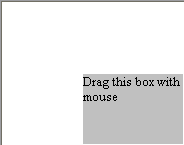
Output :
You can drag the box :
Learn from experts! Attend jQuery Training classes.
